TL;DR
- Architecture guidance must start with brownfield reality. The vast majority of Salesforce work happens in existing, messy orgs.
- Declarative-first is not always the right call. Enterprise orgs often benefit from Apex-first automation that is more testable, debuggable, and DevOps-compatible.
- Integration typically consumes 50 to 60% of implementation budgets, per practitioner reporting. Design for it upfront, before anything else.
- Governor limits should drive your data model, automation, and integration design from day one.
- Named anti-patterns like God Object, Flow Avalanche, and CPQ Black Hole help teams catch recurring architecture failures early.
- Architecture quality is the prerequisite for Agentforce and AI agent readiness.
- Quarterly architecture reviews with measurable metrics are the only reliable defense against compounding technical debt.
Every Salesforce architecture guide you have read probably started with a clean slate. A fresh org, no legacy automations, no mystery integrations, no tech debt from three admin generations ago. The advice is sound in theory, and disconnected from the org sitting in front of you.
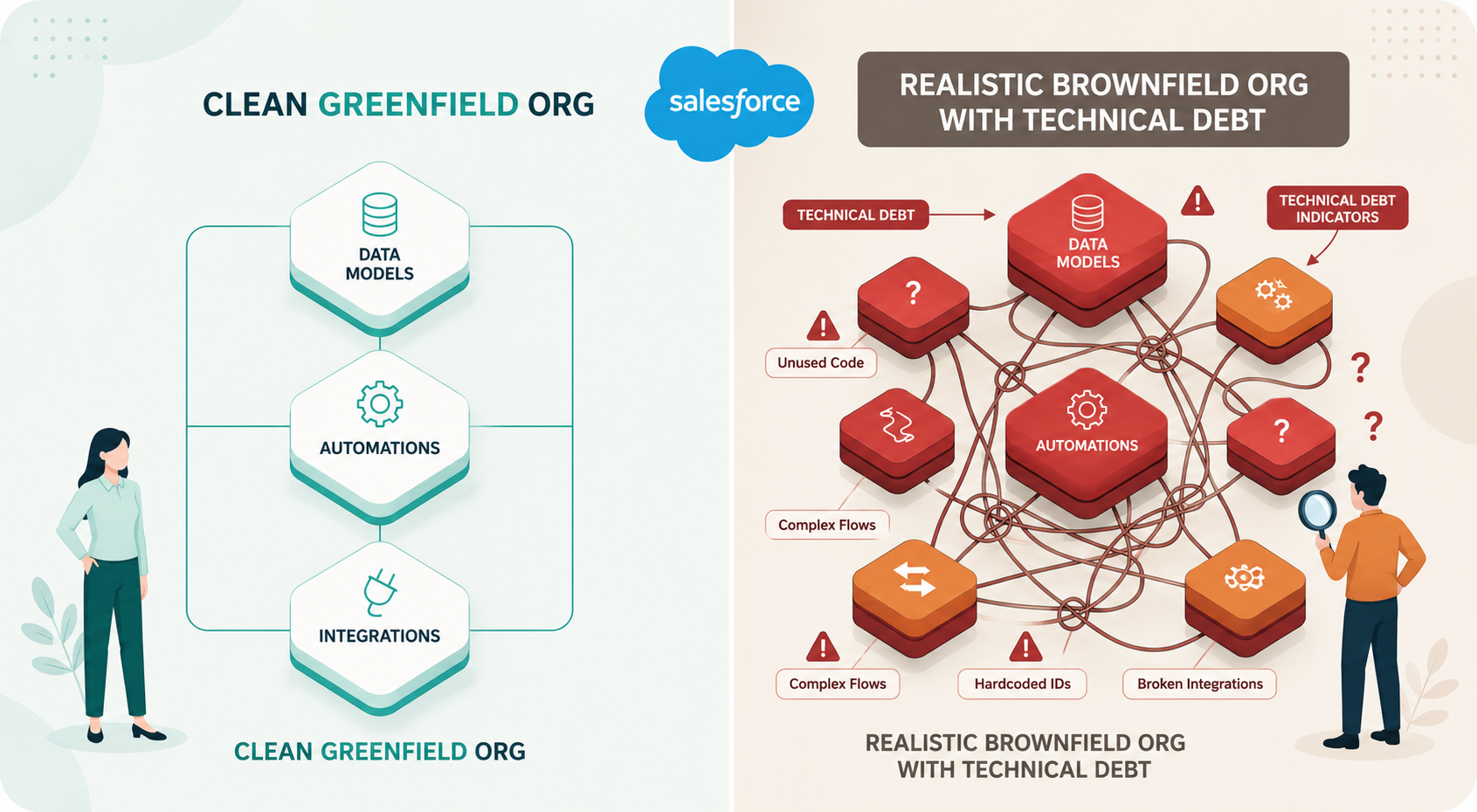
Walk into any mid-market or enterprise Salesforce org, and the picture doesn't match the documentation. You find 200+ Flows, undocumented Apex triggers, integration endpoints nobody can explain, and technical debt that accumulated over five years and three partners. According to Salesforce's own State of IT Report (5th Edition, 2024), 69% of IT leaders say technical debt is a major barrier to digital progress. In Salesforce orgs, that debt is hidden within metadata layers that no one fully understands.
A brownfield Salesforce implementation is any org with existing configuration, customization, data, and technical debt that new architecture decisions must account for. That describes the vast majority of real-world architecture work, and it is where this guide is focused.
This piece covers data model design, an evidence-based take on Flow vs. Apex, integration architecture, governor-limit-aware design, security architecture, named anti-patterns, Agentforce readiness, and scaling patterns. It goes beyond the Well-Architected Framework into the specific, opinionated guidance that the official docs deliberately avoid, for the decisions you have to make in a real org.
Why Most Salesforce Architecture Guidance Falls Short
The Greenfield Fallacy
Trailhead modules, Salesforce's Decision Guides, and the Well-Architected Framework all share a common assumption: you are starting from zero. Every exercise uses a simplified data model. Every pattern diagram begins with a blank canvas.
That assumption misses roughly 80% of the architecture work happening in the ecosystem today. You are extending, remediating, or rebuilding on top of years of accumulated decisions made by people who are no longer around to explain them. Understanding what Salesforce architecture actually looks like inside complex orgs requires dealing with hidden dependencies, overlapping automations, and integration footprints that surface as surprises mid-sprint. Salesforce architecture best practices are meaningless if they do not account for the mess you are inheriting.
Start With What You Have: Architecture Begins With Org Intelligence
Discovery Is an Architecture Activity, Not a Project Phase
Architecture decisions in a brownfield org are decisions about a system you do not fully understand. Orgs passed across multiple admins and partners carry hidden dependencies and undocumented automations that surface as redesign triggers mid-sprint. Assumptions cause rework. Rework erodes margins.
Discovery is often treated as a checkbox at project kickoff: a two-week phase that produces a slide deck, then gets shelved. That framing is wrong. Discovery belongs at the center of architecture work because every design decision depends on accurate knowledge of the current state.
The Architecture Audit Checklist: What to Map Before You Design
Before you design anything, map these six dimensions of the existing org:
- Data model: All standard and custom objects, fields, relationships (lookup vs. master-detail), field fill rates, and record volumes per object
- Automation inventory: Every Flow (record-triggered, screen, scheduled, autolaunched), Apex trigger, Apex class, validation rule, and legacy Process Builder, with execution context
- Integration map: Every connected system, API callout, middleware endpoint, scheduled batch job, webhook, and Platform Event subscription, with direction of data flow and frequency
- Security model: Permission sets, profiles, org-wide defaults, role hierarchy, sharing rules, and field-level security configurations
- Technical debt register: Unused components, redundant automations, deprecated features (Workflow Rules, Process Builders), and orphaned metadata
- Governor limit baseline: Current consumption patterns for SOQL queries, DML operations, CPU time, and heap size across key transactions
This checklist becomes your architecture decision foundation. Every design choice should trace back to what you found here. Automated discovery tools can compress this mapping from weeks to hours, but the discipline matters regardless of your tooling.
How Org-Aware Intelligence Changes the Architecture Game
The gap between 'I think I understand this org' and 'I actually understand this org' is where project failures originate.
Automated discovery tools generate navigable documentation of the entire connected org: data models, field-level details with fill rates, automations, integrations, installed packages, and customer journeys. HighRev's Discovery Agent produces this kind of knowledge base automatically when you connect a Salesforce org, complete with a Discovery Co-Pilot for natural-language questions about integrations, data flows, and dependencies, and a built-in audit that surfaces unused components and hidden dependencies before work begins
The tool matters less than the discipline. Do not make architecture decisions without complete org visibility. Automated approaches are fundamentally more reliable because they read actual metadata instead of relying on institutional memory that may no longer exist.
Data Model Architecture: The Foundation Everything Else Depends On
Your data model is the single most consequential set of architecture decisions in any Salesforce implementation. Every automation, integration, security rule, and report depends on how you structure your objects, fields, and relationships. Getting it wrong is expensive to fix, and getting Salesforce data model best practices right pays compound dividends across the entire implementation.
Standard Objects vs. Custom Objects: The Real Decision Framework
The common advice is 'use standard objects when possible.' This is directionally correct and insufficient. Standard objects provide built-in adoption, AppExchange compatibility, and native reporting. They also impose constraints: rigid field structures, governor limit implications when triggers fire on high-volume standard objects, and the inability to delete standard fields that create noise. The real question is whether the standard object's behavior closely matches your business domain to justify those constraints.
Relationship Architecture: Lookups, Master-Detail, and the Patterns That Scale
Master-detail relationships provide cascade delete, native roll-up summaries, and sharing inheritance from the parent. They are powerful when the child record genuinely cannot exist without the parent. The trade-off: master-detail relationships lock the child to a parent object permanently, and cascade delete at scale can trigger unexpected governor limit consumption.
Lookup relationships offer flexibility. Reparenting is easy, and child records survive parent deletion. The cost: no native roll-up summaries and sharing must be configured separately. Junction objects handle many-to-many relationships.
A common anti-pattern is choosing master-detail purely for the roll-up summary convenience without evaluating the cascade-delete implications at 100K+ parent records. The inverse is overusing lookups when master-detail sharing inheritance would have significantly simplified a complex security model.
Record Types, Page Layouts, and the Complexity Trap
Record types are one of the most overused features in Salesforce. They are genuinely needed when distinct business processes require different field visibility and different picklist values on the same object. A single object with six record types and six corresponding page layouts creates a maintenance surface area of 36+ configuration combinations. Before creating a new record type, ask: Can a Dynamic Form, a validation rule, or conditional field visibility solve this instead?
Designing for Governor Limits From Day One
Governor limits are not a reference table to check after you have built something. They are the invisible architecture of every Salesforce org, and they should inform your data model design from the start.
The 100 SOQL query limit per transaction is not just a number: it is the single most important constraint shaping your data model. Every relationship hop in a query counts against this limit. A data model with deep relationship chains and record-triggered automations that each run their own queries will hit this ceiling fast. Accounting for these constraints from the start, rather than discovering them in production, is the difference between architecture and accident.
Automation Architecture: The Flow vs. Apex Debate, Settled With Evidence
What Salesforce Recommends vs. What Works at Scale
Salesforce's declarative-first approach makes sense for small to mid-size orgs with straightforward business logic and admin-centric teams. It breaks down as a universal principle at enterprise scale. Here is the evidence.
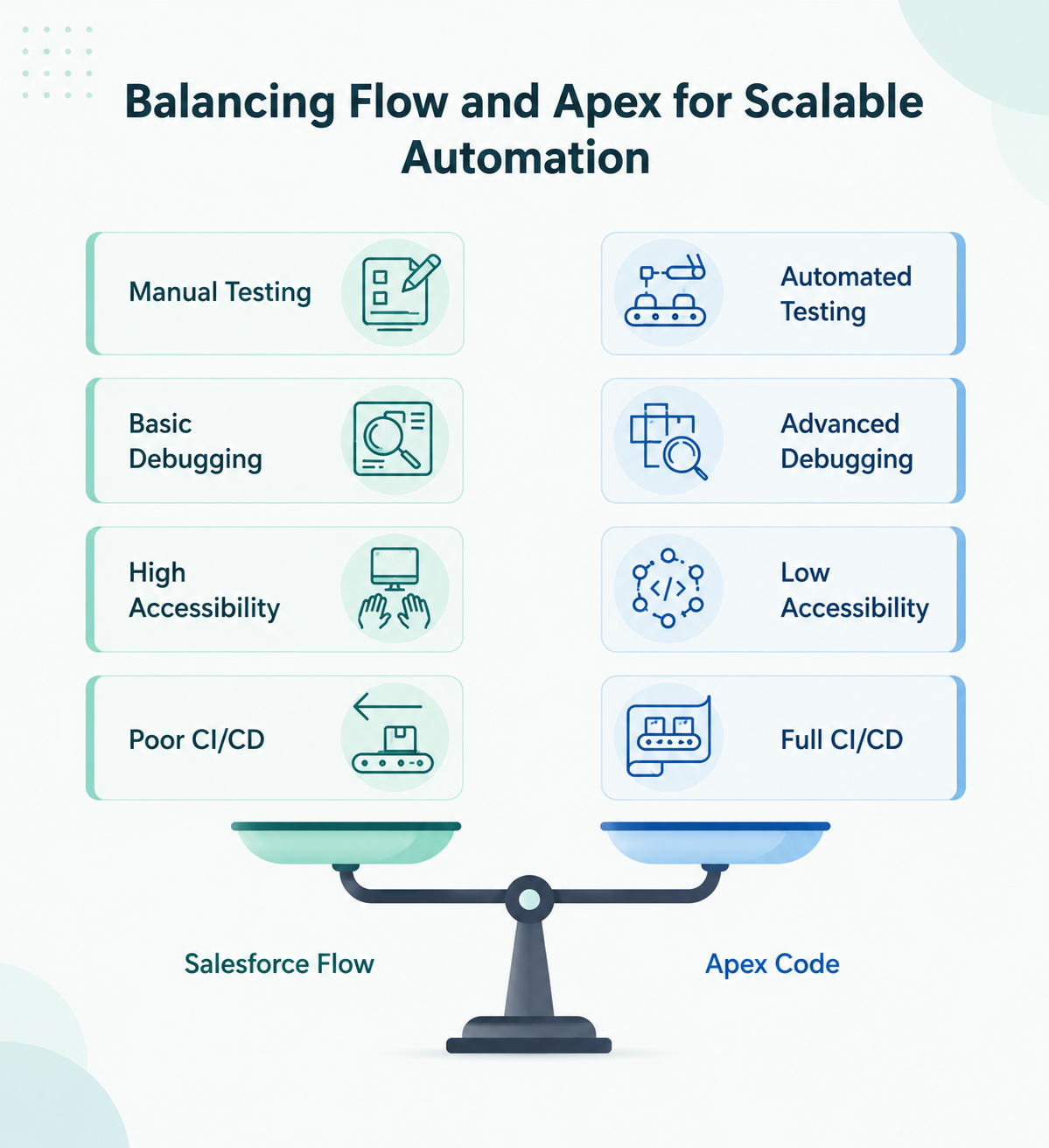
Testing. Apex has mandatory unit testing with a 75% code coverage requirement. Flows have no equivalent. Testing is manual, fragile, and breaks silently when subflows change. At scale, Flow-heavy orgs have demonstrably worse QA coverage.
Version control. Apex integrates with Git, supports pull requests, and works with CI/CD pipelines. Flow metadata XML is nearly impossible to diff, review, or merge in a code review. DevOps teams consistently report that Flows are hostile to their workflows.
Debugging. Apex provides debug logs, stack traces, and developer console tooling. Flow debugging is primitive, especially when errors occur deep in subflow chains that span multiple objects.
Performance. Practitioners in community forums document 40 to 70 percent performance improvements after replacing complex Flows with equivalent Apex logic. These numbers are self-reported, but the pattern is consistent across multiple independent accounts.
Cost reality. Complex Flows require developer-level thinking. A Senior Admin building complex record-triggered Flows with subflows, loops, and decision elements is not cheaper than a developer writing clean Apex. The difference is that the Apex is testable, version-controllable, and debuggable. Long-term, it costs less.
This is not an argument against Flows entirely. It is an argument against the blanket 'declarative first' dogma that ignores complexity, team skill set, scale requirements, and DevOps maturity. A recurring pattern in G2 reviews and Salesforce community forums: teams that go all-in on Flows per Salesforce's recommendation find themselves, two years later, rewriting the complex ones in Apex because debugging and version control became unmanageable.
The Automation Decision Matrix: When to Use What
Taming the Flow: Governance Patterns for Declarative Orgs
Many orgs are already Flow-heavy. If that describes yours, governance is your first priority:
- One record-triggered Flow per object per timing (before-save, after-save). Consolidate or use a master Flow that delegates to subflows
- Naming conventions that encode object, trigger type, and purpose (example: Account_AfterSave_UpdateRelatedContacts)
- Subflow architecture for reusability. Extract common logic rather than duplicating across parent Flows
- Documentation standards for every Flow with more than 10 elements. If it cannot be understood in 60 seconds, it needs documentation
- Quarterly audit cadence. Review all Flows for redundancy, performance, and consolidation opportunities
Order of Execution: The Architecture Behind Every Transaction
The Salesforce Order of Execution is the single most important Salesforce architecture concept. Every automation decision you make interacts with this sequence. If you design automations without understanding them, you will create conflicts that are nearly impossible to debug.
The critical decision points in order: system validation → before-save record-triggered Flows → before triggers (Apex) → system and custom validation rules → after triggers (Apex) → assignment and auto-response rules → after-save record-triggered Flows → roll-up summary calculations → criteria-based sharing → async operations (future methods, queueable, platform events).
Before-save Flows are more performant than after-save because they do not require an additional DML operation. But mixing Apex triggers and Flows on the same object at the same timing context creates execution-order ambiguity that compounds with complexity. Design your automation to respect this sequence explicitly.
Integration Architecture: Where Salesforce Projects Actually Fail
Why Integration Consumes Most of Your Architecture Bandwidth
Integration is the most consistently underestimated dimension of Salesforce architecture. According to the MuleSoft 2024 Connectivity Benchmark Report, the average enterprise runs 1,061 different applications, and only 29% of them are integrated.
The average enterprise runs 1,061 applications. Only 29% are integrated. — MuleSoft 2023 Connectivity Benchmark Report
Practitioners consistently report that integration work consumes roughly one-third of their time. The Salesforce configuration takes far less time than initially scoped, but receives 100% of the initial architectural focus. That mismatch is the primary source of scope creep and budget overruns. The integration layer should be the first thing you map. Every external system, API callout, middleware connection, and scheduled batch job must be documented before you design the internal architecture.
The MuleSoft Question: When Enterprise Middleware Justifies Its Cost
MuleSoft is powerful. It is also expensive. Licensing costs scale with integration breadth, and total cost of ownership can surprise teams who did not model it upfront. Middleware is justified when you have five or more external systems with complex transformation and routing requirements, when you need canonical data models across multiple consumers, and when integration observability and error handling must be centralized. For three or fewer direct integrations with simple payloads, custom Apex REST callouts are often sufficient and dramatically less expensive.
Do not default to MuleSoft because Salesforce sells it. Evaluate based on integration volume, transformation complexity, reuse requirements, and your team's ability to operate another platform.
Map every integration endpoint in your org before your next architecture decision.
Start with automated discovery.
Security and Access Architecture: The Layer Nobody Designs Until It Breaks
Permission Sets vs. Profiles: The Modern Approach
Salesforce has been moving away from profile-based access for years. In new implementations, use a minimal base profile (such as Minimum Access), then layer permissions through Permission Sets and Permission Set Groups. This model is easier to audit, more flexible, and scales better as teams grow.
Build the Access Model in the Right Order
Design security in this sequence:
- Org-Wide Defaults — start with the most restrictive baseline
- Role Hierarchy — open access upward where needed
- Sharing Rules — grant lateral access by criteria or ownership
- Manual Shares — use sparingly; they create governance debt
- Apex Sharing — reserve for scenarios declarative rules cannot handle
The “View All” Shortcut
A common anti-pattern is solving visibility issues by granting View All Data or Modify All Data instead of fixing the sharing model. It feels fast, but creates audit and exposure risk. Broad access should require clear justification and approval.
Data Classification and Compliance
Classify sensitive fields early (Public, Internal, Confidential, Restricted) and align security controls accordingly.
If you use Shield Platform Encryption, choose carefully: deterministic encryption supports filtering and matching, while probabilistic encryption offers stronger protection with functional trade-offs. These decisions affect reporting, integrations, and queries, so make them during data model design — not after go-live.
Shield Event Monitoring is only useful if logs feed an actual monitoring process. Configure the pipeline, not just the feature.
For HIPAA, GDPR, or SOC 2 environments, build encryption, retention, and audit requirements into the architecture from day one. Retrofitting security later is expensive and disruptive.
Salesforce Architecture Anti-Patterns: What to Spot and Fix First
Anti-patterns are often more useful than generic best practices, especially in inherited orgs. They show where complexity builds, what breaks first, and where remediation creates the biggest payoff.
The “God Object”
- What it looks like: Account or Opportunity becomes the home for every new requirement
- What breaks: Slower pages, trigger complexity, weaker query performance, and growing maintenance overhead
- Symptom: Hundreds of custom fields on one object. Every new feature touches the same automation
- Fix: Use one object per business entity. If the data represents subscriptions, compliance records, or partner metrics, model it separately and relate it back
The “Integration Spaghetti”
- What it looks like: One-off Apex callouts to multiple external systems with no shared standards
- What breaks: Poor visibility, inconsistent error handling, and difficult troubleshooting
- Fix: Introduce an integration layer (middleware or lightweight gateway) with standard logging, retries, and monitoring
The “Flow Avalanche”
- What it looks like: A new Flow for every request, with no naming standards or consolidation
- What breaks: Performance issues, order-of-execution conflicts, and hard-to-debug automation
- Symptom: Dozens of record-triggered Flows on the same object
- Fix: Consolidate to one trigger Flow per object per timing pattern. Document changes and audit regularly
The “CPQ Black Hole”
- What it looks like: Treating CPQ like a standard Salesforce configuration
- What breaks: CPQ has its own logic, data model, and complexity curve. Projects are commonly underestimated
- Fix: Simplify pricing models before configuration, budget conservatively, and staff experienced CPQ specialists. If starting fresh, evaluate Revenue Cloud Advanced
The “Data Cloud Bet”
- What it looks like: Designing critical architecture around still-maturing platform capabilities
- What breaks: Rework, tooling gaps, and unnecessary dependency risk
- Fix: Design for optionality. Use external IDs, standard APIs, and middleware-based transformations so Data Cloud can be added without rebuilding core flows. Validate with a proof of concept before scaling
Start With an Audit
The fastest way to uncover these issues is a structured architecture review. HighRev’s automated technical debt analysis helps surface unused components, redundant automations, and hidden dependencies before they create new delivery risk.
Architecting for Agentforce and AI
Agentforce is one of the biggest architectural shifts Salesforce has introduced since Lightning. But most organizations cannot layer AI successfully onto a messy foundation.
If your org has undocumented Flows, bloated data models, unclear permissions, and fragile integrations, agents will inherit that complexity.
Strong Salesforce architecture is now an AI readiness requirement:
- Clean data models help agents reason accurately
- Governed automations let agents trigger workflows safely
- Documented integrations enable cross-system orchestration
- Clear security models enforce access boundaries
- Low technical debt reduces failure risk
In short: a clean org becomes more capable with AI. A messy org becomes faster at making mistakes.
Your org needs to be clean before it can be intelligent.
Find what needs to be fixed before you deploy AI agents.
Scaling, Governance, and Architecture Reviews
Multi-Org vs. Single-Org
This is one of the most important Salesforce architecture decisions.
A single org is easier to manage, cheaper to run, and simpler for cross-business reporting. Use it when business units can be governed through role hierarchy, sharing rules, and common processes.
A multi-org model makes sense when regulatory isolation is required, business units operate fundamentally differently, or post-acquisition consolidation is unrealistic. The tradeoff is higher cost, duplicated administration, and more integration complexity
Quarterly Architecture Review
Review architecture quarterly using a small set of metrics:
- Automation complexity
- Governor limit headroom
- Integration error rates
- Security model sprawl
- Data quality indicators
- Technical debt trend
Making the Business Case
Leadership rarely funds “architecture” in theory. They fund cost reduction and risk reduction.
Show:
- hours lost to rework
- slower sprint velocity
- long onboarding time
- incident risk from hidden dependencies
The goal is to shift the conversation from Should we invest? to What is inaction already costing us?
From Architecture to Execution: Closing the Design-to-Deployment Gap
Why Architecture Documents Rot
Architecture documents go stale the moment they are created if they are not connected to the org's actual state. Wiki pages, Confluence docs, and slide decks drift from reality within weeks as the org evolves through releases, hotfixes, and configuration changes.
The result: nobody trusts the documentation, and architecture decisions revert to tribal knowledge, which is exactly the problem documentation was supposed to solve.
Context-Aware Design: Architecture Grounded in Org Reality
The gap between architecture documents and actual implementation exists because architects design based on their understanding of the org, and that understanding is always incomplete. When architecture decisions are generated from actual org metadata, the designs are inherently more accurate. HighRev's Design Agent generates solution designs directly from the connected org's metadata — covering data model recommendations, business logic and automation design, UI component specifications, and security configuration. The Design Co-Pilot allows interactive refinement, and the best architecture is one that the implementation can actually follow.
DevOps as Architecture Enforcement
CI/CD pipelines, code reviews, and automated testing are not just development practices. They are architecture enforcement mechanisms. Encode architecture decisions into deployment gates: mandatory code review for all Apex changes, automated Flow analysis for complexity thresholds, no direct production deployments, and validated pipelines rather than manual change sets. Tools such as Copado, Gearset, and Flosum enforce standards during deployment.
Architecture Is a Compounding Investment
Architecture quality compounds in both directions.
Good architecture makes every new feature faster to build, easier to test, and cheaper to maintain. Poor architecture does the opposite: it increases rework, slows delivery, and raises risk over time.
That matters even more as Salesforce moves toward Agentforce and AI-driven automation. Agents will amplify whatever foundation they inherit. Clean orgs become more capable. Messy orgs become more fragile.
Most Salesforce architecture work will continue to happen in brownfield environments. The teams that treat architecture as an ongoing discipline, not a one-time project phase, will deliver faster, scale more reliably, and protect margins.
Start with what is actually in your org. Everything else follows from there.
Get complete org intelligence, context-aware design, and deployment-ready output grounded in your real Salesforce architecture.
Salesforce Architecture Best Practices: Quick-Reference Checklist
Data Model
☐ Use standard objects only when they align with the business domain
☐ Choose lookup vs. master-detail relationships based on sharing and delete behavior, not convenience
☐ Use record types only for genuinely different business processes
☐ Design with Salesforce governor limits in mind (SOQL, DML, heap size, etc.)
☐ Create one object per business/domain concept (avoid "god objects")
☐ Document expected record volumes for each object
☐ Document field fill rates and data quality expectations
Automation
☐ Choose Flow vs. Apex based on complexity, maintainability, team skills, and DevOps maturity
☐ Maintain one record-triggered Flow per object per timing (before-save and after-save)
☐ Follow consistent naming conventions for Flows and Apex triggers
☐ Validate automation against Salesforce Order of Execution
☐ Document every Flow containing more than 10 elements
☐ Review and audit automation inventory every quarter
Integration
☐ Map all integrations before designing the solution architecture
☐ Select integration patterns based on volume, latency, and complexity requirements
☐ Use Platform Events for business events where appropriate
☐ Use Change Data Capture (CDC) for record synchronization where appropriate
☐ Evaluate middleware objectively instead of defaulting to MuleSoft
☐ Allocate 50–60% of architecture effort to integration planning and implementation
Security
☐ Use Permission Sets and Permission Set Groups for new access management
☐ Design sharing using layered security (OWD → Role Hierarchy → Sharing Rules → Manual Sharing)
☐ Classify sensitive fields during solution design
☐ Avoid using "View All" or "Modify All" as shortcuts for access issues
Governance
☐ Conduct architecture reviews every quarter using measurable KPIs
☐ Maintain and regularly update a technical debt register
☐ Enforce architecture standards through CI/CD deployment gates
☐ Justify architecture investments using real Salesforce org metrics
AI Readiness
☐ Address technical debt before introducing AI agents
☐ Design solutions with Data Cloud compatibility in mind (without creating hard dependencies)
☐ Build abstraction layers to support future multi-agent orchestration
Frequently Asked Questions
1. What is Salesforce architecture?
Salesforce architecture is the structural design of a Salesforce implementation, including the data model, automation logic, integration patterns, security model, and UI framework. It determines how the system performs, scales, and evolves.
2. Should I use Flow or Apex for Salesforce automation?
Use Flow for simple automations and screen-based processes. Use Apex for complex business logic, high-volume operations, and CI/CD-driven orgs.
3. How do you handle governor limits in Salesforce architecture?
Design for them from day one. The top limits to architect around: 100 SOQL queries per transaction, 150 DML operations, 10,000 DML rows, 50,000 SOQL rows retrieved, 6 MB heap size (synchronous) / 12 MB (asynchronous), and 10-second CPU time limit. These should inform the depth of your data model, automation patterns, and integration batch sizes.
4. What does a Salesforce architecture diagram include?
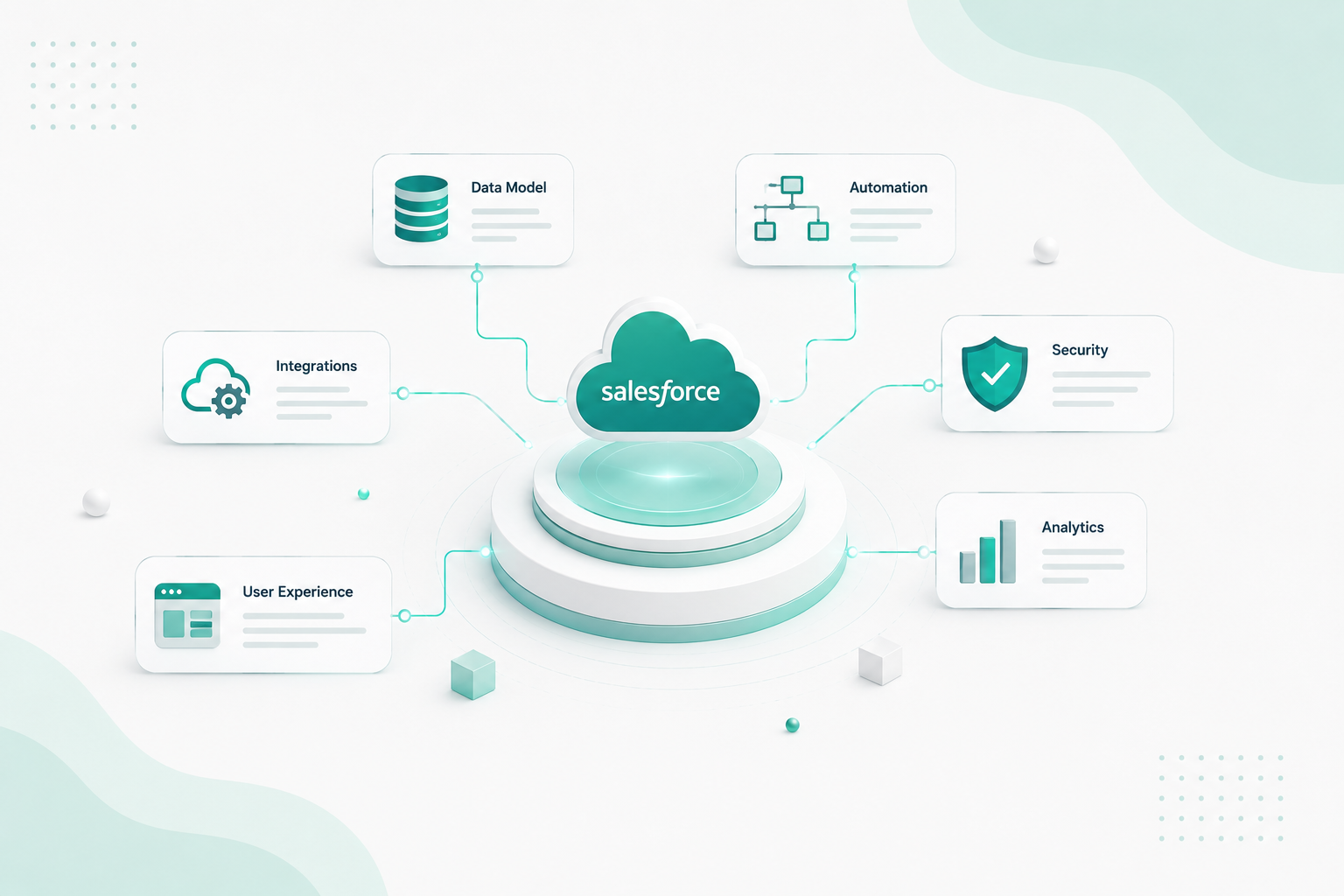
A complete Salesforce architecture diagram covers five layers: data model (ERD with objects and relationships), automation layer (Flows, triggers, and their interactions), integration layer (external systems, APIs, middleware), security model (sharing rules, permission sets, OWD), and user interface layer (Lightning apps, LWC components, Experience Cloud sites).
5. How do you audit a Salesforce org for technical debt?
Map all components across six dimensions. Identify unused or redundant items, assess automation complexity, and document undocumented dependencies. Automated tools can compress this from weeks to hours by reading actual org metadata.
6. What is the difference between multi-org and single-org Salesforce architecture?
Single-org uses one Salesforce instance with business units separated by role hierarchy, sharing rules, and record types. Multi-org uses separate instances for distinct business units.
7. How do you architect Salesforce for Agentforce?
Agentforce requires clean data models, well-structured permissions, API-accessible business logic, and observable automations. Address significant technical debt before deploying AI agents. Agents inherit the org's complexity, and a messy org produces unreliable agent behaviour.
8. How do I make a business case for Salesforce architecture remediation?
Quantify the current cost of architecture debt: hours spent on rework, declining sprint velocity, onboarding time for new team members, and the cost of production incidents caused by hidden dependencies. Frame the investment as cost avoidance, not discretionary spending.




